PHOTO GUIDE · 06
Gangnam Station photo studio · Personal color and photographyPersonal color ID photos: how should you choose the background and outfit?
How to choose colors for ID, employment and profile photos
When taking ID or employment photos at a studio near Gangnam Station, the background and clothing colors affect how the face appears. This guide explains how to apply personal color to photos by comparing lighting and colors near the face as well as skin tone.
Lighting, exposure, white balance, camera settings and retouching also affect the final color. When choosing a personal color for a photo, compare the shooting purpose, background and colors near the face instead of treating one diagnosis as a fixed answer.
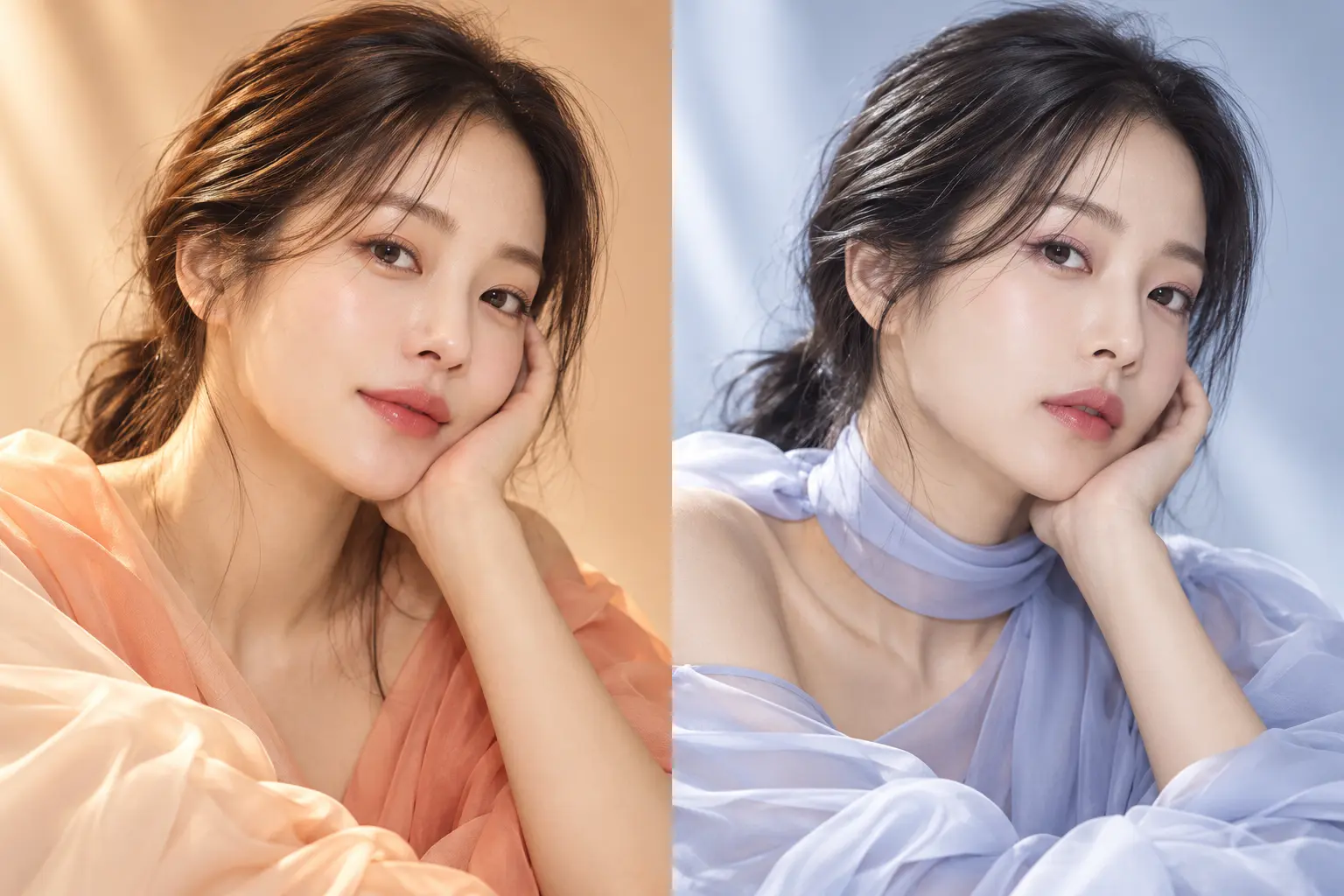
Why personal color matters in photography
A shirt, jacket, hair color or background close to the face can reflect or absorb light, making skin look clearer and brighter or darker and redder. The skin itself has not changed; the contrast between neighboring colors has changed in the photograph.
For shooting, warm and cool can be understood simply as tendencies toward yellow, peach and camel versus blue, lavender and cool pink. Individual skin, hair, makeup and studio light can change the result, so we do not claim that one color is mandatory for every warm or cool type.
How do warm and cool colors look in a photo?
Warm colors can add softness and ease, while cool colors can make contours and contrast feel clearer. Brightness, saturation, distance from the face and the background may matter more than the color name itself.
This image is not a personal-color diagnosis. It is a concept visual showing how the mood of a portrait may change when the color and light around the same subject change.
Choose ID-photo clothing with the background
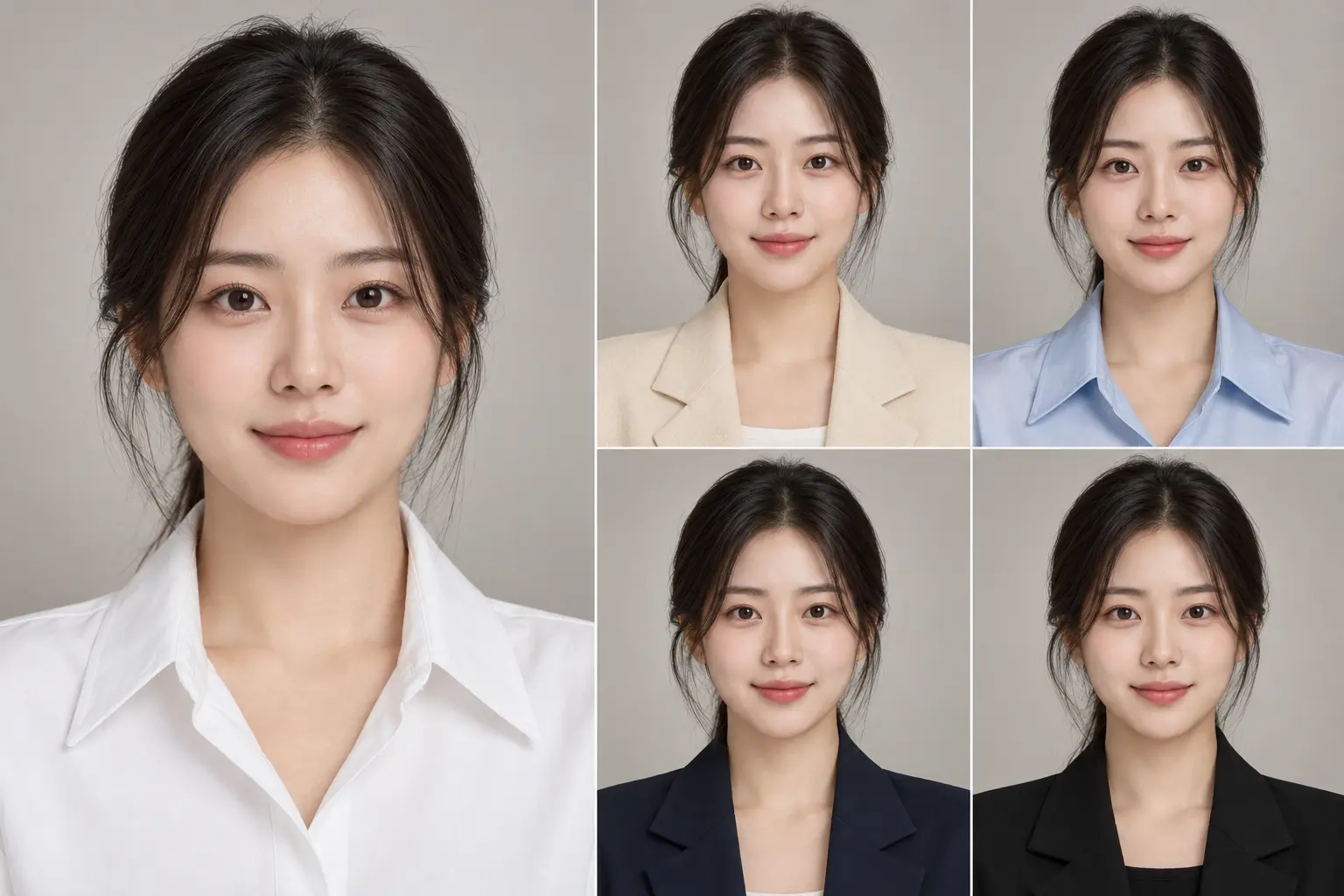
For a Gangnam Station ID photo, the face must remain clear and the submission rules come first. White can brighten the face but lose separation against a light background; ivory and beige create gentler contrast. Light blue can feel clean, while navy and black define the outline of the face and clothing.
No single color works best for everyone. Check whether the skin is overwhelmed by the fabric, whether the top merges with the background and whether the required background and submission rules are respected.
- WhiteBrightens the area around the face, but may blend into a light background.
- Ivory · beigeCreates gentle contrast, but may merge with similar skin tones.
- Light blueCan feel clean; compare it with skin redness and the background.
- Navy · blackDefines the outline and jacket line; check expression and contrast together.
Personal color for employment photos also means trust
Gangnam Station employment photos are not simply about choosing a pretty color. They should communicate a neat, trustworthy and professional impression for the role and submission context. Navy or charcoal jackets with white, ivory or light-blue shirts are calm combinations, but brightness and the area of color around the face still change the mood.
Hair and makeup do not operate separately from clothing. A strong lip or a red or ash hair tone may compete with the face if it clashes with the outfit. Decide the role and submission rules first, then compare the colors near the face together with shoulder line, expression and gaze.
- JacketCheck navy or charcoal against the role and the background.
- Shirt · blouseCompare white, ivory and light blue for a clear, balanced face.
- Tie · accentKeep the accent controlled so attention stays on the face and expression.
Profile photos can use color more deliberately
A Gangnam Station profile photo can express personality and purpose more actively than an ID or employment photo. Decide whether it will be used for a website, social media, a business card or a portfolio; then choose between monochrome, pastel and one controlled accent color.
Monochrome can feel stable and professional, pastels can feel soft and approachable, and one accent color can make a personal image memorable. As color becomes stronger, check that the face and expression do not disappear into the clothing or background; composition, lighting and pose must be designed together.
Lip color, hair color and photo retouching
Warm lip colors often lean peach, coral or brick; cool colors often lean rose, berry or mauve. Hair also changes the contrast around the face, whether it is red-brown, natural dark brown or ash. These are tendencies, not substitutes for individual differences.
On-set makeup organizes the real face for the light and clothing. Photo AI makeup and retouching after the shoot review the captured eyebrows, eyes and skin tone in one image and adjust them within an agreed range. Retouching cannot erase every effect of a poorly matched outfit or strong light, so the choice before the shoot and the adjustment after it should be considered separately.
A practical order when you do not know your personal color
Even without a diagnosis, you can narrow the choice by comparing colors under the conditions of the actual shoot.
- 1. PurposeDecide whether the image is for ID, employment or profile use.
- 2. BackgroundCheck separation from the background and any submission rules.
- 3. Near the faceHold the fabric near the face and compare clarity, dullness and redness.
- 4. Reduce intensityIf color appears before the face, try a lower brightness or saturation.
- 5. Camera checkUse a phone camera as well as a mirror to check the full balance.
Color checklist before the shoot
Instead of relying on a type name, check these five points under the real shooting conditions.
- ClothingDoes the face and expression come first when the fabric is near it?
- MakeupDo lip and base tones work with the clothing and light?
- HairDoes the hair color keep the face outline clear against the background?
- BackgroundDoes it separate from the outfit and meet the purpose or rules?
- PurposeDoes it communicate the intended ID, employment or profile impression?
Conclusion
A good personal-color photo is not about choosing one color without exception. It is about checking harmony between skin, purpose, light, background, clothing, hair and makeup.
G STUDIO considers the purpose of an ID, employment or profile photo and the colors around the face, then compares the result while shooting. When color is difficult, judge the actual face and expression in the photograph rather than relying only on a diagnostic label.
After choosing clothing and backdrop colors, also see how to prepare your expression and hair for a job application photo. the difference between AI makeup in a photo and makeup for the shoot.
Q&A · Shooting color
Questions about personal color in photos
Can I choose an ID-photo outfit without knowing my personal color?
Yes. Check the submission rules and background first, then hold the clothing near your face and compare whether your skin, expression and outline remain clear. No color needs to be treated as an absolute rule.
Do white or black work for everyone?
No. White can lose separation against a light background, while black can create strong contrast. Check skin, background and the amount of clothing around the face together.
Can retouching fix a clothing color that does not suit me?
Color and skin rendering can be adjusted, but retouching cannot erase every reflection, background contrast or impression created during the shoot. Color choice before the shoot comes first.
Can I discuss colors before shooting at a Gangnam Station photo studio?
Tell the studio the purpose, submission context and the clothing you brought. The colors around the face and background can then be compared from the actual photo, without presenting the discussion as a formal diagnosis.